
Loading your collection…
Loading your collection…
Learn video editing step by step, from importing and organizing footage to cutting clips, adding transitions, animated text, music, color correction, and exporting videos for different platforms. The promotional material advertises 15 video lessons and more than 12 hours of content.
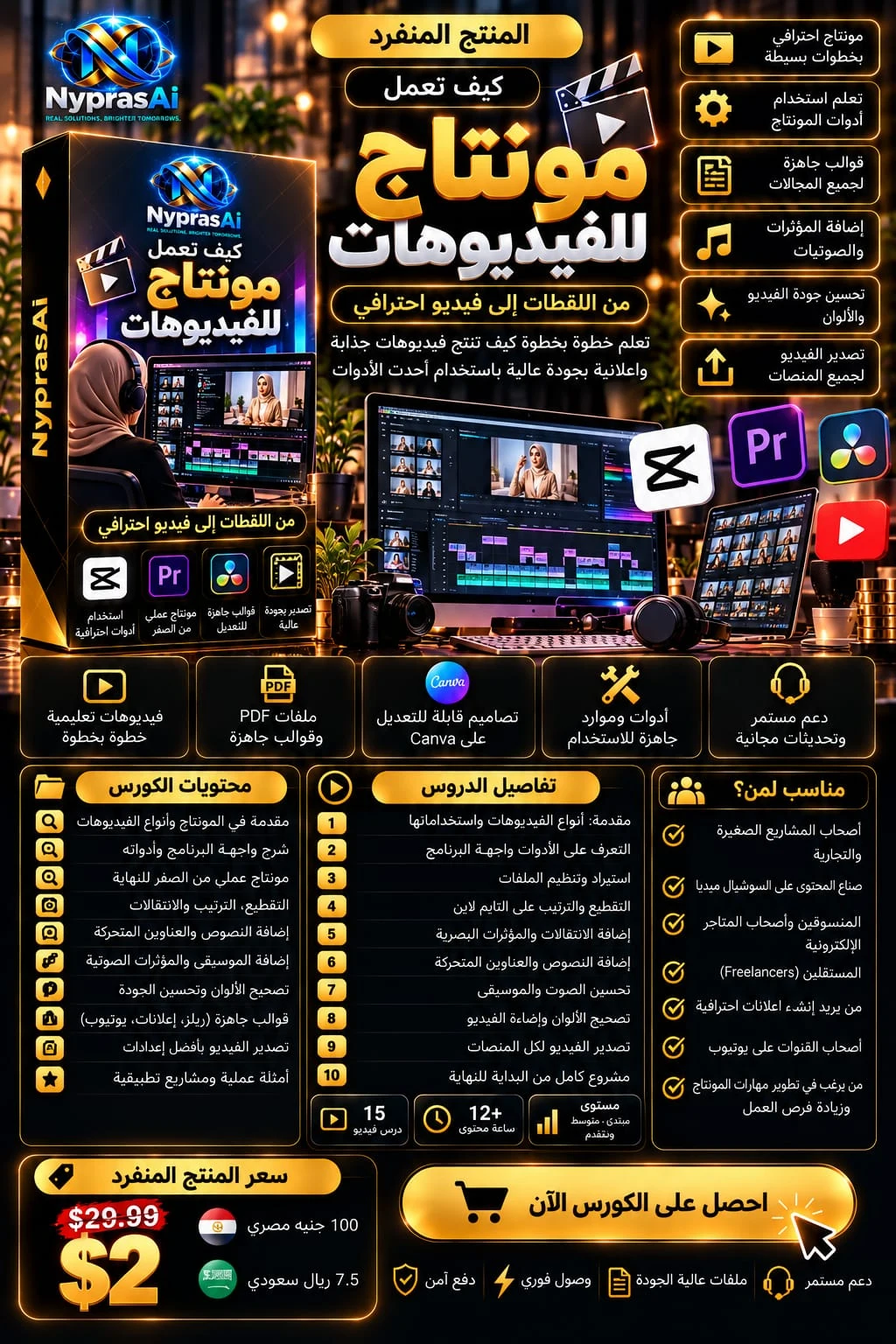
Turn your raw footage into polished, engaging videos! Whether you're a content creator, entrepreneur, digital marketer, or aspiring video editor, learning video editing can help you communicate ideas and present products and services more effectively. Video Editing Course, the seventh module of the AI Service Money collection, introduces the essential stages of video editing, from understanding editing tools and managing footage to creating and exporting completed videos. What You'll Learn Understanding different video types and their applications. Exploring video editing interfaces and essential tools. Importing and organizing video, audio, and image files. Cutting and arranging clips on a timeline. Adding transitions and visual effects. Creating animated titles and text overlays. Improving audio and working with music and sound effects. Understanding color correction and video lighting. Working with templates for Reels, advertising videos, and YouTube. Exporting videos with suitable formats and settings. Applying editing techniques to a complete practical project. Course Highlights Beginner-Friendly Learning Explore fundamental editing concepts before moving into more practical techniques. Hands-On Applications Learn about editing workflows through examples and practical projects. Multi-Platform Content Understand how to prepare videos for social media, digital advertising, and YouTube. Video Quality Improvements Explore sound editing, color correction, transitions, and visual presentation techniques. Course Overview According to the promotional image, this course includes 15 video lessons and over 12 hours of educational content, alongside supporting templates and resources.
Small business owners, social media content creators, digital marketers, e-commerce entrepreneurs, freelancers, YouTube channel owners, aspiring video editors, and anyone interested in developing practical video editing skills.
No specific prerequisites are listed in the promotional material. Access to a computer or device capable of running the editing software, basic file management skills, and sufficient storage space are recommended.
Step-by-step video tutorials. PDF guides and ready-to-use templates. Editable Canva designs. Supporting tools and learning resources. Practical examples and editing projects. Templates for Reels, advertising videos, and YouTube.
Licensed